Reverse DNS
Reverse DNS (PTR records) links an IP address to a name. You need it for example if the server sends email, since many receivers check that the sender's address has a name.
When a server is created, reverse DNS is set to the server's hostname automatically, for both IPv4 and IPv6. You can change it yourself in the portal.
Change reverse DNS
- Open the service under Services and choose Reverse DNS in the menu.
- VPS Small, Medium and Bygg själv: the menu is on the server page.
- VPS Cloud: the menu is on the service and lists the addresses of all your servers.
- Type the name in the field next to the address. End the name with a dot, as in the
example:
mail.yourcompany.com. - Click Update Reverse DNS.
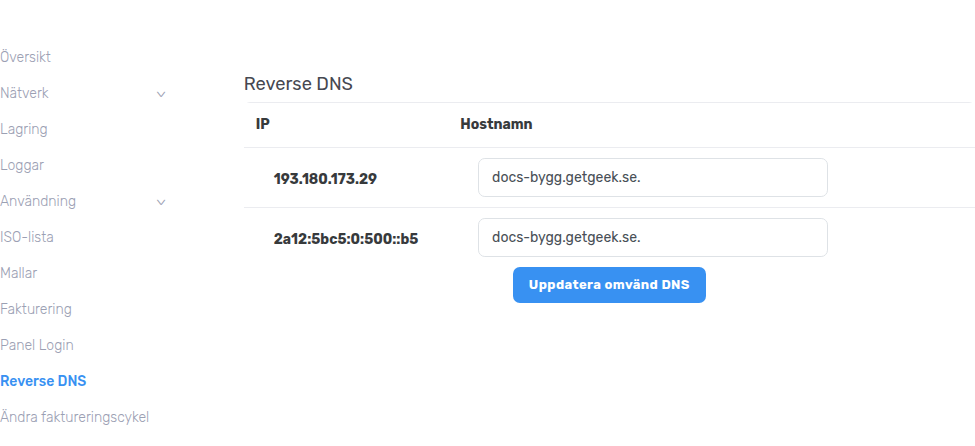
The change shows up in our name servers right away.
Check
The answer should be the name you typed.
Does the server send email?
Make sure the name also points back to the same address, with an A record (and an AAAA record for IPv6) in your own DNS. Many email receivers require both directions to match.