Manage your site in the portal
After ordering, you manage the site yourself on the service page in the portal (Services → GetGeek Static). You don't need to contact us to change domains, roll back a version or replace keys. The status is shown in your account's language. The buttons are currently in Swedish only, so they are given in Swedish below with a translation.
The service page
At the top is the Status (Status):
- per domain: verified, waiting for TXT record, or cannot be used with a reason (invalid format, max 5 domains, GetGeek's own domain, or already used by another account). A domain that cannot be used stays in the list until you remove it, see below,
- fields with an invalid value, for example branch or Hugo version — the default value is used until you correct it,
- which version is published right now,
- the result of the latest publication.
Right after ordering it says Sätts upp… (being set up) for a short while.
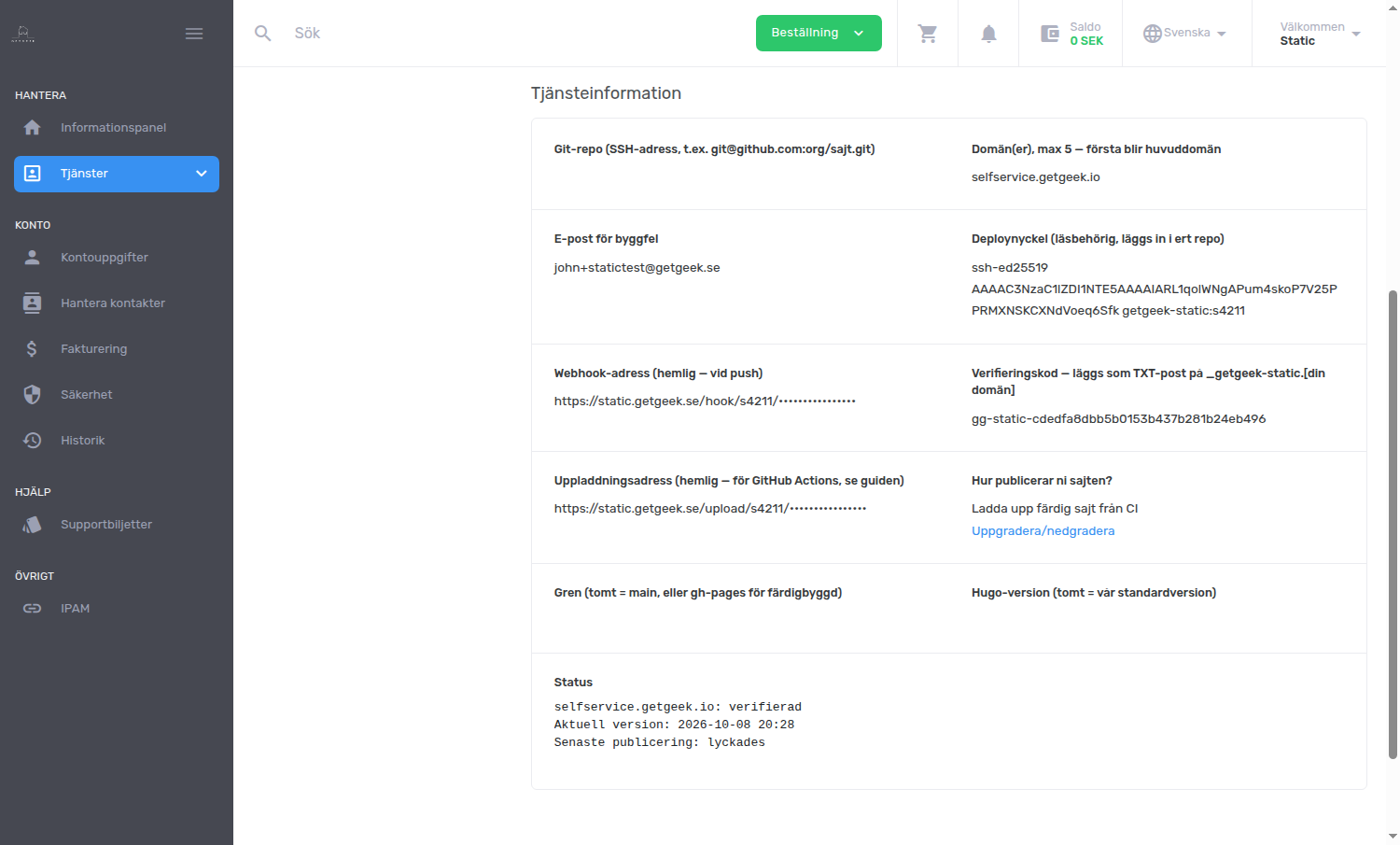
Below the status are the details you need to connect your git:
The upload key can change what your site shows. Don't share either address unnecessarily, and never put them in a file in your repository.
Under Hur publicerar ni sajten? (how do you publish the site?) you see which mode you use. You change the mode with the link Uppgradera/nedgradera (upgrade/downgrade) on the service page, not under Ändra uppgifter. It costs nothing.
The buttons
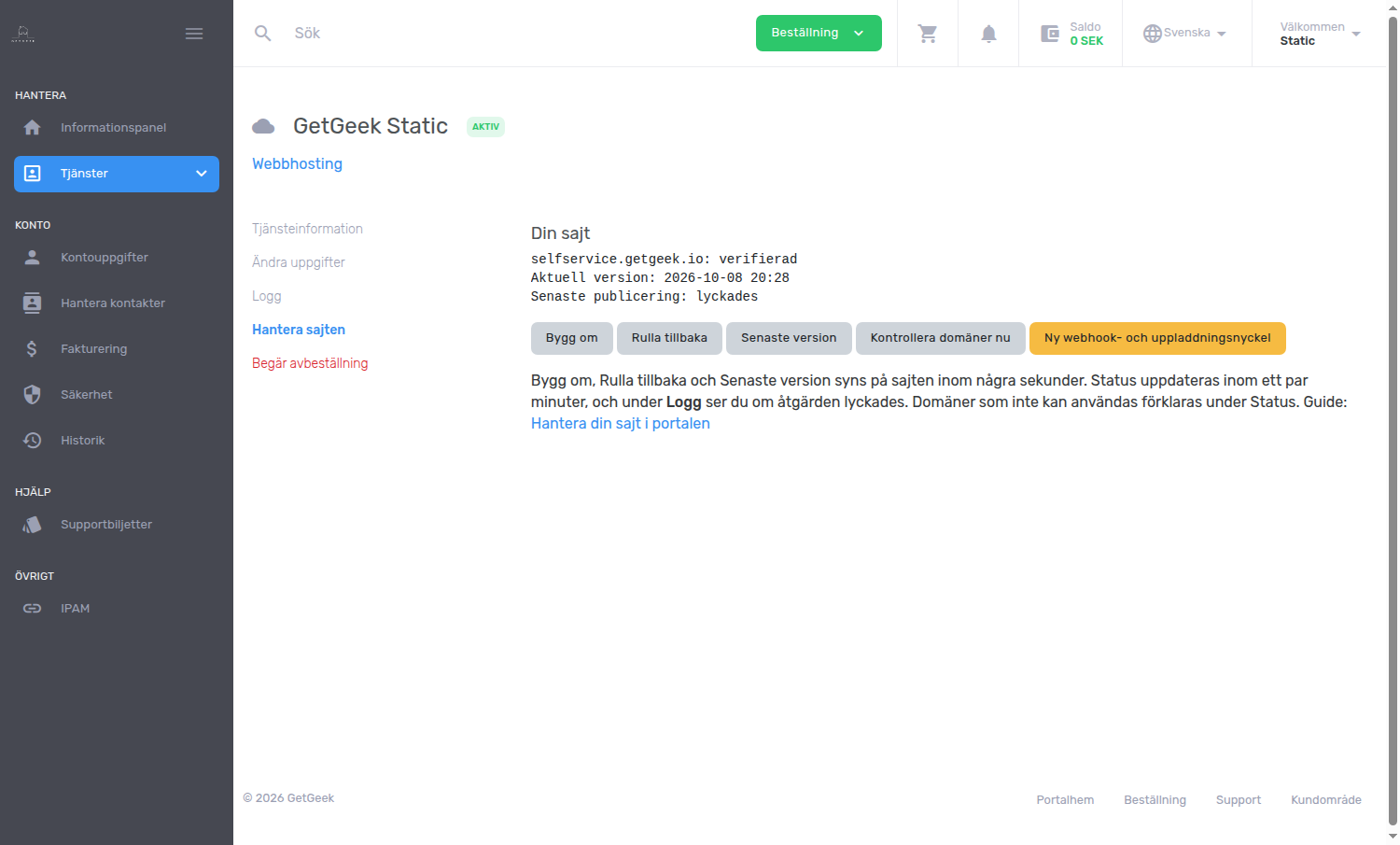
Bygg om, Rulla tillbaka and Senaste version show on the site within a few seconds. The Status is updated within a couple of minutes, and under Logg (the log) on the service page you can see whether the action succeeded, for example which version was published.
When you press a button, a blue box appears: Åtgärden är startad… (the action has started). The example below also shows how a domain that cannot be used appears under Status.
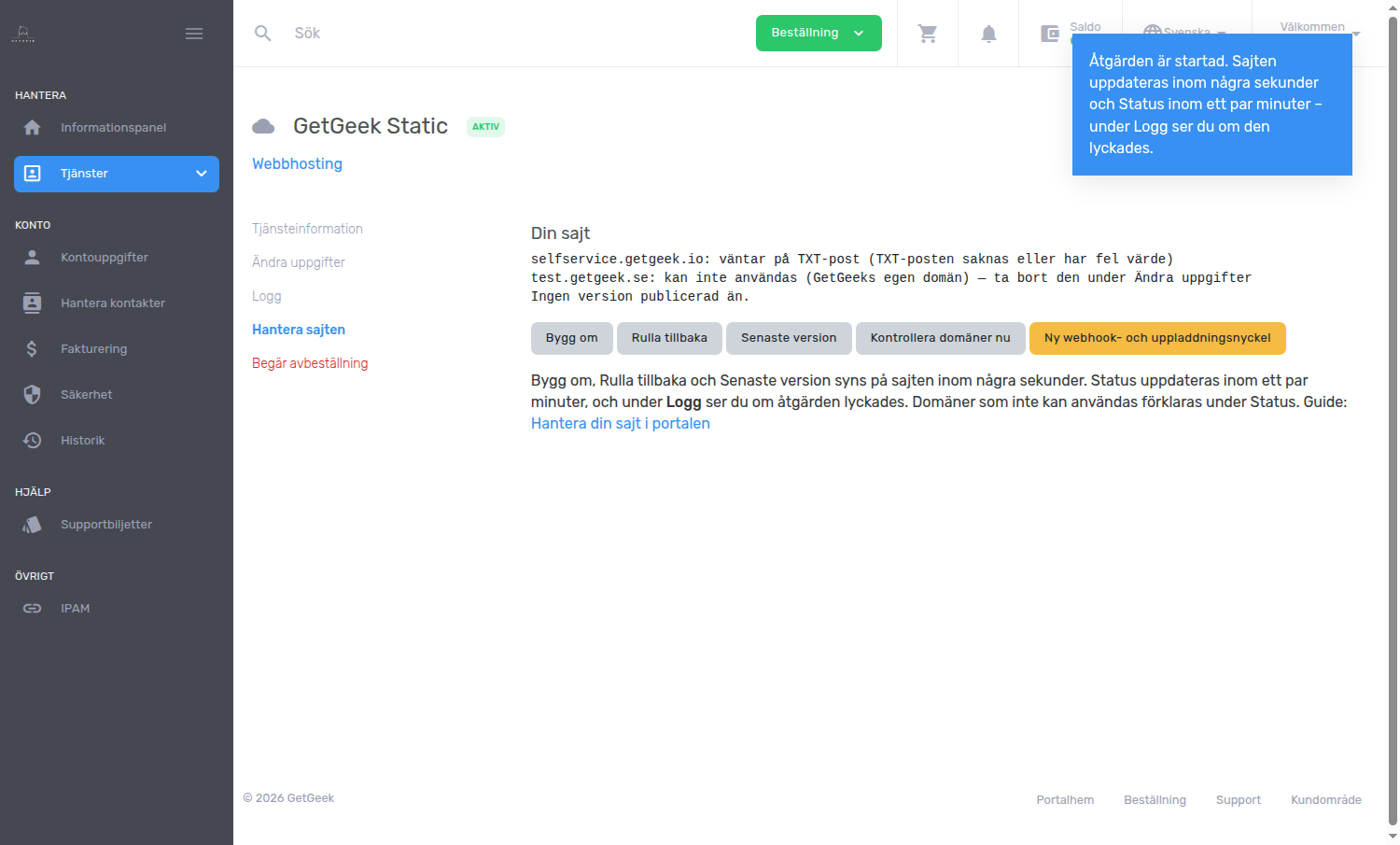
A new push publishes as usual. To jump back to the newest version without pushing, press Senaste version.
Changing domains and repository
By editing the service details on the service page (Ändra uppgifter in the Swedish portal, on the Tjänsteinformation tab) you can change:
- git repository and branch
- Hugo version
- domains (max 5, comma separated; the first is the primary domain)
- email address for build errors
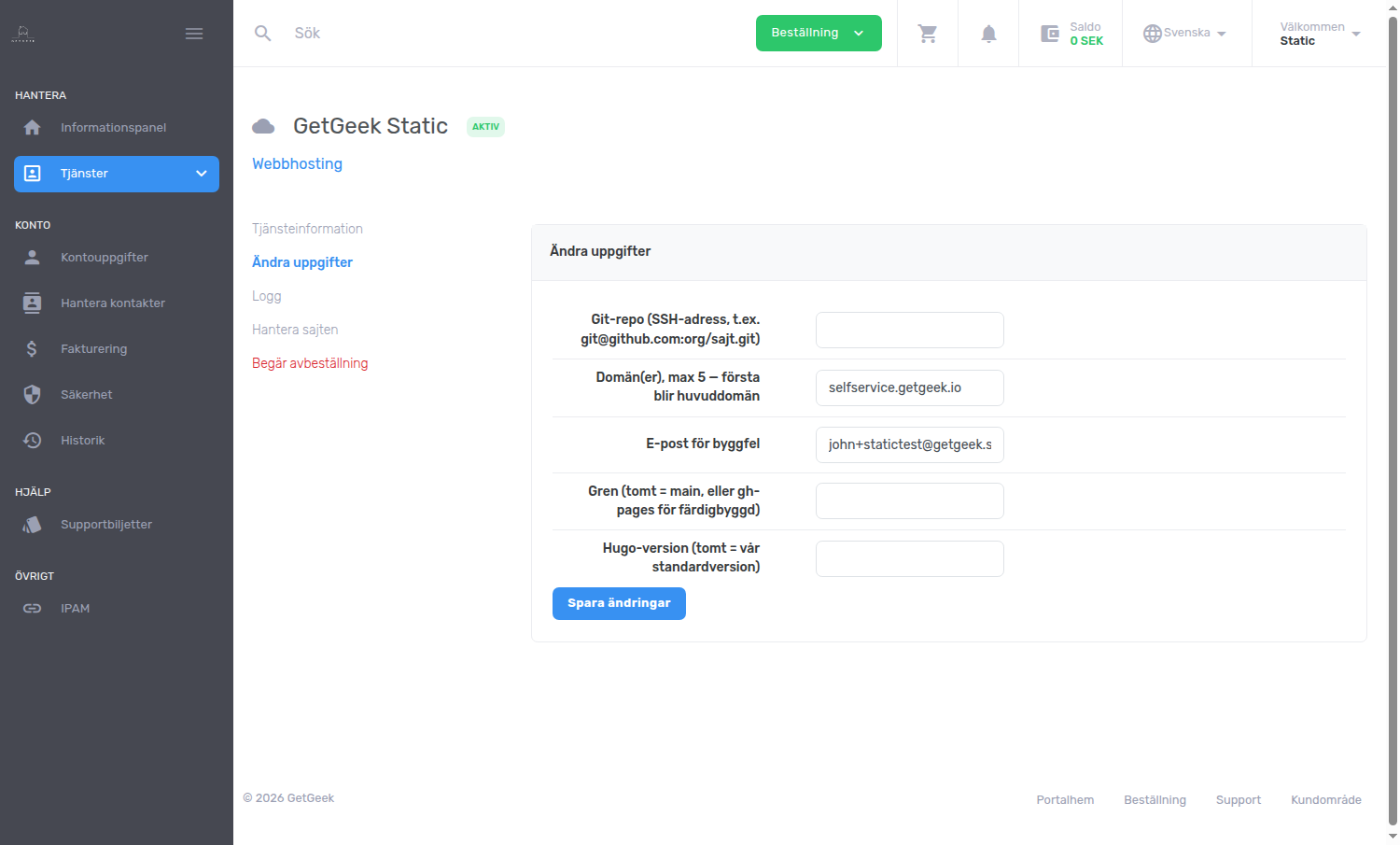
The mode (How do you publish the site?) is not changed here but with the link Uppgradera/nedgradera on the service page. It costs nothing.
The change takes effect within 1–2 minutes. A new domain needs DNS records as in Getting started, and is verified when the TXT record is found.
The portal does not check the domains when you save. A domain that cannot be used stays in the list but is not published, and the reason is shown under Status with a prompt to remove it under Ändra uppgifter. This applies if:
- you entered more than 5 domains,
- a domain has an invalid format,
- a domain is in a zone that belongs to GetGeek,
- a domain is already used by another account.
The last rule exists so that nobody can take over a domain somebody else uses. If you believe a domain of yours was rejected by mistake, contact support@getgeek.se.
Unpaid invoice
If an invoice isn't paid, the service is suspended. The site then shows the page This site is temporarily suspended (in Swedish and English), and builds, uploads and the buttons don't work. Your data is kept. When the invoice is paid, the service is reactivated.
Cancelling
When you cancel the service, the site goes offline immediately. We keep the data for 7 days and then delete it. If the cancellation was a mistake, contact support@getgeek.se within those 7 days.
Also remove your DNS records pointing to us, see FAQ.